Academy
Service VIN Academy: learn the shop one task at a time.
Each lesson is one job in the app, written as steps you can follow with the screen open beside it, with three questions at the end to check you have it. 27 of them also play a short video, recorded in the app with sample data and captioned on screen.
| Lessons | 95 |
|---|---|
| With a video | 27 |
| Watch time | 42 min |
| Video being made | 28 |
| Video waiting | 40 |
| Paths | 11 |
The short path
Start here
3 lessons take a new shop from signing up to quoting and taking bookings. The rest can wait for a slow afternoon.
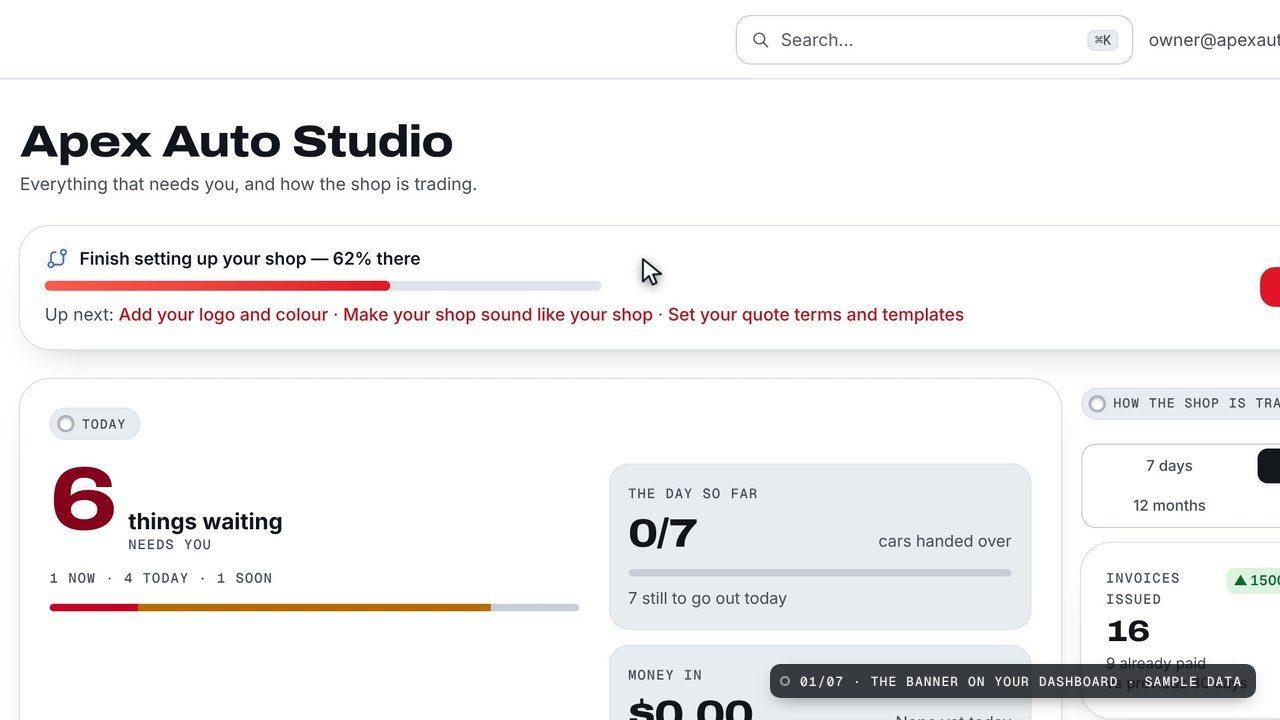 Set up your shop in an afternoonVideo 1:17
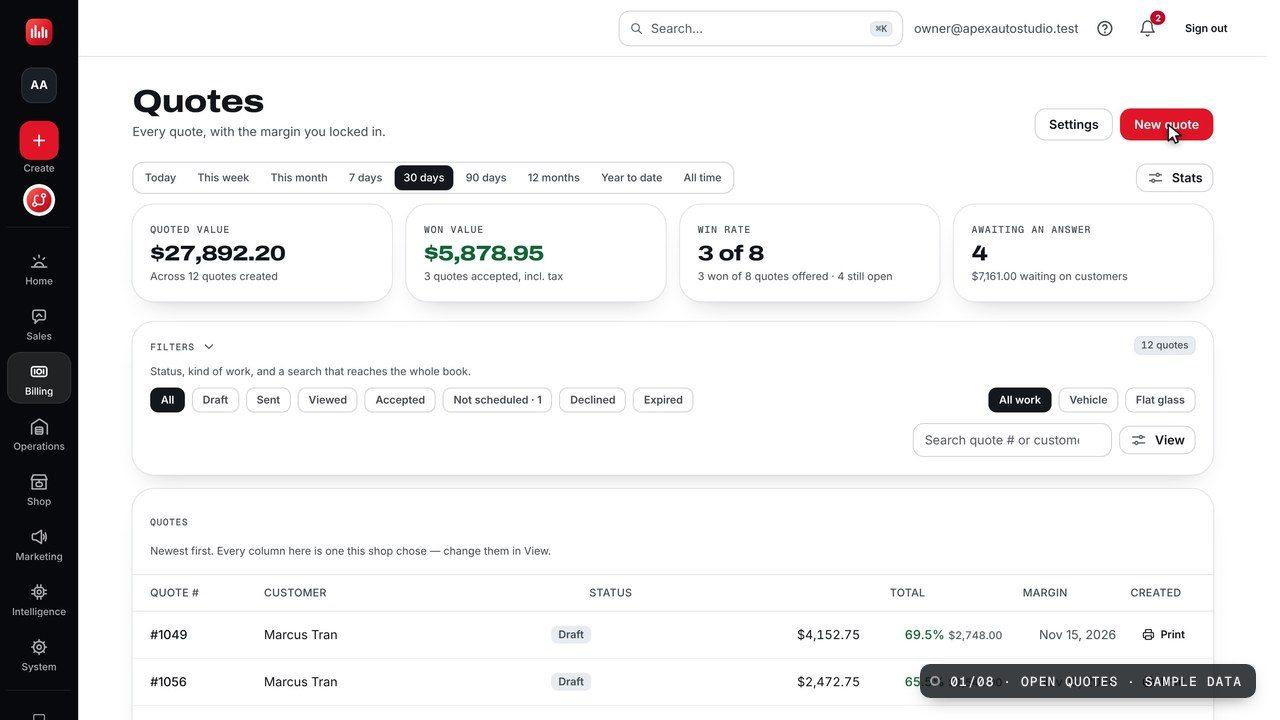 Build and send your first quoteVideo 1:37
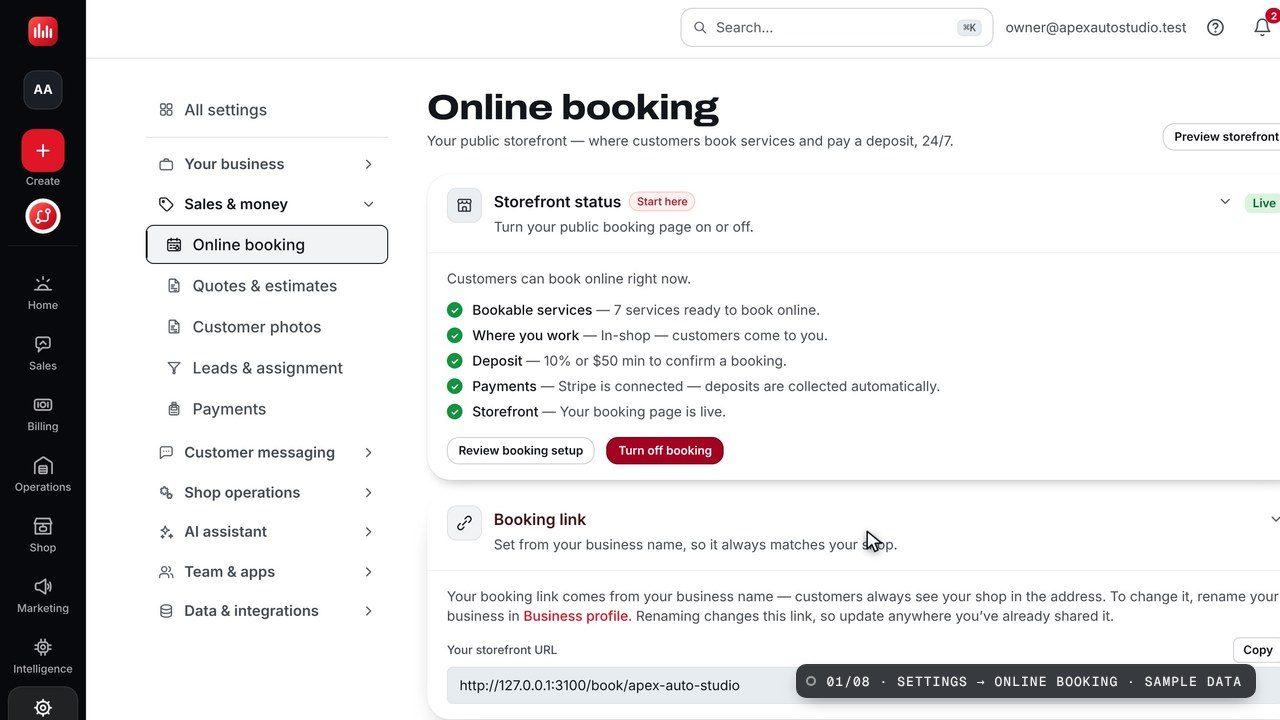 Take online bookings with a depositVideo 1:36
Your first week
Seven days from a new account to a shop that quotes, books, texts and gets paid.
| Day 1 |
|
|---|---|
| Day 2 |
|
| Day 3 |
|
| Day 4 |
|
| Day 5 |
|
| Day 6 |
|
| Day 7 |
|
Paths by role and by trade
A path is a list to hand somebody: the new hire at the desk, a tech on day one, or an owner setting up for one kind of work.
By role
By trade
| Tint shopsSet up for tint, then price it and sell it on the phone.6 lessons |
|
|---|---|
| PPF shopsSet up for paint protection film, price a full front, and keep the waste down.7 lessons |
|
| Detailing shopsSet up packages and add-ons, then bring last year's customers back.5 lessons |
|
| Ceramic coating shopsSet up the prep, the coating and the cure, then price by the prep.5 lessons |
|
| Wrap shopsSet up quoting by panel and by roll, and keep the film you stock in step.4 lessons |
|
| Mobile detailersSet up a service area and plan each day as a route.3 lessons |
|
| Two trades under one roofOne price book and one calendar for a shop that sells more than one kind of work.4 lessons |
|
On this page · 95 lessons
Every lesson
95 lessons in 16 groups. Open one for its steps, its questions and its video when it has one.
Getting set up
| 01 | Build your price bookBuild your price book: services, vehicle sizes, add-ons and what each one costs you, so every quote and booking prices itself. |
| 02 | Set bay hours and daily capacitySet bay hours and daily capacity so the calendar and the booking page only offer the work your shop can do that day. |
| 03 | Get your texting line liveGet your texting line live: pick a number, finish registration, and see what consent and opt-outs mean for what you send. |
| 04 | What your customer sees when you press SendWhat your customer sees when you press Send: the quote, the job tracker and the bill, from their side of the screen. |
| 05 | Set up logins for your crewSet up logins for your crew: invite each person, give them the role that fits, and watch the first clock-in land. |
| 06 | Connect your website formConnect your website form so each lead lands in Service VIN with its answers and photos, typed in once by the customer. |
| 07 | The go-live check before your first customerThe go-live check before your first customer: the settings to confirm, the test booking to run and the text to send yourself. |
Getting started
| 08 | Set up your shop in an afternoonSet up your shop in an afternoon: your hours, your services and prices, and your texting line, from a fresh signup to the first quote. |
| 09 | A tour of your shop dashboardA tour of your shop dashboard: what needs you today, where each screen lives, and the search bar that finds any customer, car or job. |
AI & automations
| 10 | Ask Dash, the copilot in your dashboardDash is the copilot in your dashboard: ask how to do something, or have it look up a customer, a job or a number in your shop. |
| 11 | Approve AI drafts before they sendApprove AI drafts before they send: the agents that answer leads and draft quotes, and the queue where a person says yes. |
| 12 | Set up automatic reminders and follow-upsSet up automatic reminders and follow-ups: the rules that send on their own, what sets each one off, and how to change them. |
| 13 | Teach an AI agent your shop's wordsTeach an AI agent your shop's words: read its instructions, change them in plain language, and reset them if a change goes wrong. |
| 14 | Teach the AI your shop's voiceTeach the AI your shop's voice and memory: how you talk to customers, and the facts about your shop every draft should know. |
| 15 | Let the AI Scheduler pick the best slotLet the AI Scheduler pick the best slot for a job: what it weighs, what it suggests, and where you still decide. |
| 16 | Cap what AI work costs each monthCap what AI work costs each month: what uses AI credits, where the balance shows, and the limit that stops the spend. |
Sales
| 17 | Track every lead in one placeTrack every lead in one place: each form, call and message becomes a lead with a status, a person on it and a next step. |
| 18 | Build and send your first quoteSend your first quote: pick the car, price the work from your price book and check the margin before the customer sees it. |
| 19 | Packages, options and upsells on a quoteAdd options and upsells on a quote: bundle services into packages, and offer extras the customer ticks for themselves. |
| 20 | One file per customer, with every car and jobOne file per customer: the record, the garage of cars, every quote, job and payment, and how to merge two files into one. |
| 21 | Ask for photos before the car comes inAsk for photos before the car comes in, so the quote is right the first time and the damage is on file before drop-off. |
| 22 | Follow up an unanswered quoteFollow up an unanswered quote: the chase that stops when the customer replies, books or says no, and the deals gone quiet. |
| 23 | Sales Scripts for the usual objectionsWrite Sales Scripts for the usual objections once, so everyone at the desk answers price, timing and the other shop the same way. |
| 24 | Quote flat glass film by the square footQuote flat glass film by the square foot: measure the panes, pick the film, and price a home or office job on one quote. |
Inbox & calls
| 25 | Answer every customer from one inboxAnswer every customer from one inbox: texts and calls on the shop's numbers, with who answered and what is still waiting. |
| 26 | Turn a missed call into a booked jobTurn a missed call into a booked job: the call you miss mid-install gets a text back, and the thread becomes the booking. |
| 27 | Make and take shop calls from the browserMake and take shop calls from the browser, read each call's summary, and see what the AI receptionist beta does on Command. |
| 28 | Send email from the same inboxSend email from the same inbox you text from: turn it on, set your signature and sending domain, and answer replies under Email. |
Money
| 29 | Send invoices and get paid on timeSend invoices and get paid on time: turn a job into a bill, send it, and see who has paid and who needs a reminder. |
| 30 | Take card payments and track payoutsTake card payments and track payouts: connect Stripe once, record e-transfers and cash, and follow each payout to your bank. |
| 31 | Sell a gift card and redeem oneSell a gift card and redeem one: the sale on an invoice, the code the customer gets, and the balance spent as a payment. |
| 32 | Set who can approve a discount or refundSet who can approve a discount or refund: the limits per role, the request that waits for a yes, and where the approvals live. |
| 33 | Collect old balances on the Recovery deskCollect old balances on the Recovery desk: who owes what, how long it has been, and the reminder you send from one screen. |
| 34 | Take a card on Square at the counterTake a card on Square at the counter and see the payment land on the bill, without keying the amount twice. |
| 35 | When a customer disputes a chargeWhen a customer disputes a charge: where the dispute shows up, the evidence to send, and the date it has to go by. |
Shop operations
| 36 | Book work into bays on the calendarBook work into bays on the calendar, see the day lane by lane, and slot consults and check-overs that take no bay. |
| 37 | Track a job from start to finishTrack a job from start to finish: its stages, its services and work, its photos and the handover, all on one record. |
| 38 | Issue a warranty and handle a claimIssue a warranty and handle a claim: the certificate goes out when the work is done, and a claim has a board of its own. |
| 39 | Get agreements signed at the counterGet agreements signed at the counter: the shop signs first, nothing is left blank, and the odometer is the reading from that job. |
| 40 | Track film rolls by the footTrack film rolls by the foot: log what each job used, keep waste apart from factory defects, and know when to reorder. |
| 41 | Team roles, the time clock and pay periodsThe time clock and pay periods for your crew, plus the roles that decide what each person on your team can open. |
| 42 | Make the job board match your shopMake the job board match your shop: switch off the stages you skip, and move a car without texting the customer when you need to. |
| 43 | Plan the day's route for mobile jobsPlan the day's route for mobile jobs: the stops in order, the drive between them, and the tech who takes each one. |
| 44 | Put the job board on the shop TVPut the job board on the shop TV so the crew sees the day's cars, their stages and what is late without opening a screen. |
Online booking
| 45 | Take online bookings with a depositTake online bookings with a deposit: turn on your booking page, set the deposit, and open the day to jobs with money on them. |
| 46 | Put booking on your own website domainPut booking on your own website domain: embed the booking page, point a subdomain at it, and test it before you share it. |
Marketing
| 47 | Ask for reviews when the job is doneAsk for reviews when the job is done: the ask goes out on its own after the work closes, and replies draft for your approval. |
| 48 | Run an offer to past customersRun an offer to past customers who said yes to marketing: what the offer is, who hears about it, and when it ends. |
| 49 | Keep your customers coming back with DripKeep your customers coming back with Drip: texts and emails the AI writes in your voice, built your way in the Editor. |
Reports & data
| 50 | Read your shop numbers on a MondayRead your shop numbers on a Monday: what you sold, what you kept, where the jobs came from and who still owes you. |
| 51 | Import your customers without fearImport your customers without fear: bring a whole customer book across, with a preview before anything is written. |
| 52 | What a job cost you in laborSee what a job cost you in labor: the pay that landed on it, the employer burden on top, and the margin left once it is done. |
| 53 | Save a report and build your ownSave a report and build your own: find the one you need in the library, change it in the builder, and keep it for the whole shop. |
Settings & integrations
| 54 | Link a website button to one serviceLink a website button to one service, so a customer who taps Book Full Front lands on Full Front instead of your whole menu. |
| 55 | Connect QuickBooks or XeroConnect QuickBooks or Xero so each paid invoice and its customer reach your books, and see what crosses over and what stays behind. |
Pricing and margin
| 56 | Price a full front PPF job from the roll upPrice a full front PPF job from the roll up: film by the foot, the hours on the car, and the margin you keep at the end. |
| 57 | Price tint by car and by filmPrice tint by car and by film, and decide what to do with the price the shop down the road is charging. |
| 58 | Price a ceramic coating by the prepPrice a ceramic coating by the prep it needs: the correction hours are the job, and the bottle is the small part. |
| 59 | Margin and markup: the number that pays rentMargin and markup are two different numbers. Learn which one pays the rent, and how to price so you keep it. |
| 60 | What film waste costs you in a yearWork out what film waste costs you in a year: the mis-cuts, the remnants and the re-dos, added up from your own rolls. |
| 61 | Three packages that sell the middle oneBuild three packages that sell the middle one: what goes in each, how far apart the prices sit, and why the top one exists. |
| 62 | When to discount, and what to take awayWhen to discount a job, when to hold your price, and what to take out of the job when you do drop it. |
| 63 | Raise prices on customers you already haveRaise prices on customers you already have: when to do it, what to say, and how to keep the regulars who matter. |
Selling and the front desk
| 64 | The first five minutes of a PPF inquiryThe first five minutes of a PPF inquiry: the questions to ask, what to price on the spot, and how to get the car in to look. |
| 65 | Sell tint over the phoneSell tint over the phone: the car, the shade, the law and the price, in the order a caller needs them. |
| 66 | When the other shop quoted lessWhat to say when the other shop quoted less: the questions that show what was quoted, and when to let the job go. |
| 67 | How much deposit to take, and whenHow much deposit to take, when to ask for it, and what to say when a customer pushes back on paying up front. |
| 68 | A no-show policy you will enforceWrite a no-show policy you will enforce: what it says, when the deposit is kept, and how to tell a customer without a fight. |
| 69 | The call you missed is the job you lostThe call you missed is the job you lost: count what the missed calls cost you, and set up the shop so fewer go unanswered. |
| 70 | Turn a consult into a booked carTurn a consult into a booked car: what to show, what to measure, and how to ask for the booking before they leave. |
| 71 | Follow up a quote three times without naggingFollow up a quote three times without nagging: when each follow-up goes, what it says, and when to stop. |
| 72 | Win back last year's customersWin back last year's customers: who to contact, what to offer them, and the season to do it in. |
The floor, the crew and the money
| 73 | Schedule by bay, and why Tuesday overbooksSchedule by bay instead of by day: why one weekday overbooks, and how to fill the slow ones without a discount. |
| 74 | Intake photos and the walk-aroundIntake photos and the walk-around with the customer: what to shoot, what to point out, and the argument it saves later. |
| 75 | The handover: cure time and the QA checkThe handover: cure time and the QA check before the keys go back, and what to tell the customer about the first week. |
| 76 | What a comeback costs, and how to count itWhat a comeback costs once you count the bay, the film and the tech's day, and how to count them so they fall. |
| 77 | Hire your first installerHire your first installer: when the shop is ready for one, what to look for, and how to try them before you commit. |
| 78 | How to pay installers without hurting qualityHow to pay installers by the hour, by the job or with a bonus, and what each one does to speed and to quality. |
| 79 | Train a new tech in thirty daysTrain a new tech in thirty days: what they do in week one, what they touch by week four, and how you know they are ready. |
| 80 | Read your month in five numbersRead your month in five numbers: sales, margin, cash, booked days and comebacks, and what to do when each one moves. |
| 81 | Watch your cash before payroll weekWatch your cash before payroll week: deposits, money owed to you and the bills due, so a busy month is also a paid one. |
| 82 | When to reorder film, and what to keepWhen to reorder film, how much to keep on the shelf, and what to do with the remnants a job leaves behind. |
| 83 | Ask for a review at the right momentAsk for a review at the right moment: the minute in the handover when a happy customer says yes, and the words to use. |
Written for one role
| 84 | Your fifteen-minute MondayYour fifteen-minute Monday as the owner: the screens to open, the numbers to read and the three things to act on this week. |
| 85 | The first ten minutes at the front deskThe first ten minutes at the front desk: what came in overnight, who is due today, and what to answer before the first car. |
| 86 | What to answer before you close the front deskWhat to answer before you close the front desk: the threads still waiting, tomorrow's cars and the money left open. |
| 87 | Clock in, and fix a punch you missedClock in on the web, and fix a punch you missed so your hours and your pay come out right at the end of the period. |
| 88 | Take the VIN and photos at intakeTake the VIN and photos at intake on the web: the VIN plate, the car as it arrived and the damage it had, on file before the work starts. |
Set up for your trade
| 89 | Tint shop setup: shades, film and cars a dayTint shop setup in Service VIN: the tint menu it writes for you, prices by car, film lines as services or add-ons, and a cap on cars a day. |
| 90 | PPF shop setup: coverage and film by the footPPF shop setup in Service VIN: coverage levels, film by the foot, and jobs that run over more than one day. |
| 91 | Detailing shop setup: packages and add-onsDetailing shop setup in Service VIN: the detailing menu priced by vehicle size, the small jobs as add-ons, and packages at one price. |
| 92 | Ceramic coating shop setup: prep and cureCeramic coating shop setup in Service VIN: the prep, the coating, the cure time, and the maintenance visits after. |
| 93 | Wrap shop setup: by the panel and the rollWrap shop setup in Service VIN: panel jobs sold as their own services, lettering by the square foot, vinyl by the roll, and the days a full wrap takes. |
| 94 | Mobile detailing setup: the day as a routeMobile detailing setup in Service VIN: your service area, travel time, and a day planned as a route. |
| 95 | Run two trades under one roofRun two trades under one roof: one price book, bays shared or kept apart, and the reports that show which trade pays. |
Follow along
Do the first lesson in your own account.
The steps name every screen and button as the app does, so they work with your shop open beside them.