Ceramic & detailing
How Mobile Detailing Dispatch Orders a Day
The short version
Mobile detailing dispatch starts at booking, when the page refuses a slot the drive cannot make. The morning of the day, the stops go into a short order measured from the job addresses, the tech gets that order on their day plan and by text, and every booked time stays where the customer put it.
- Most of a mobile day's driving is decided when the jobs are booked, so the booking page holds a gap for the drive between two mobile jobs.
- In the morning, the map view draws the booked order beside a shorter suggested one; nothing moves until someone moves it.
- Optimize puts one tech's stops in a short loop; Send puts that order on their day plan and in a text, with booked times unchanged.
- Distances are straight lines between addresses, so Google Maps does the driving directions and the traffic.
Ceramic & detailing7 min readUpdated
Most of the route is set when the job is booked
By the time a mobile detailer looks at tomorrow, most of the driving is already fixed. Four jobs booked at the far corners of town will not become a tidy loop at seven in the morning, whatever the software does. So mobile detailing dispatch starts on the booking page.
On Service VIN, a booking page set to mobile, or to shop and mobile, asks for the service address and adds one flat travel fee to the order. Before it offers a slot, it checks the drive to and from the neighboring mobile jobs: straight-line distance at an effective city speed of 40 km/h, with at least 15 minutes between stops. A shop that runs highway corridors raises the speed; one that wants slack raises the gap. If the gap cannot cover the drive, the slot is not offered. An address the map cannot place gets the minimum gap rather than a refusal, so a typo never costs a booking.
The second filter is coverage. A shop draws the area it serves and picks what happens to a mobile booking outside it: confirm it anyway, confirm it and mark it for review, or hold it as a request the shop accepts or declines. A booking ninety minutes out is easier to turn down the night it arrives than the morning you have to drive it.
The same four stops in two orders
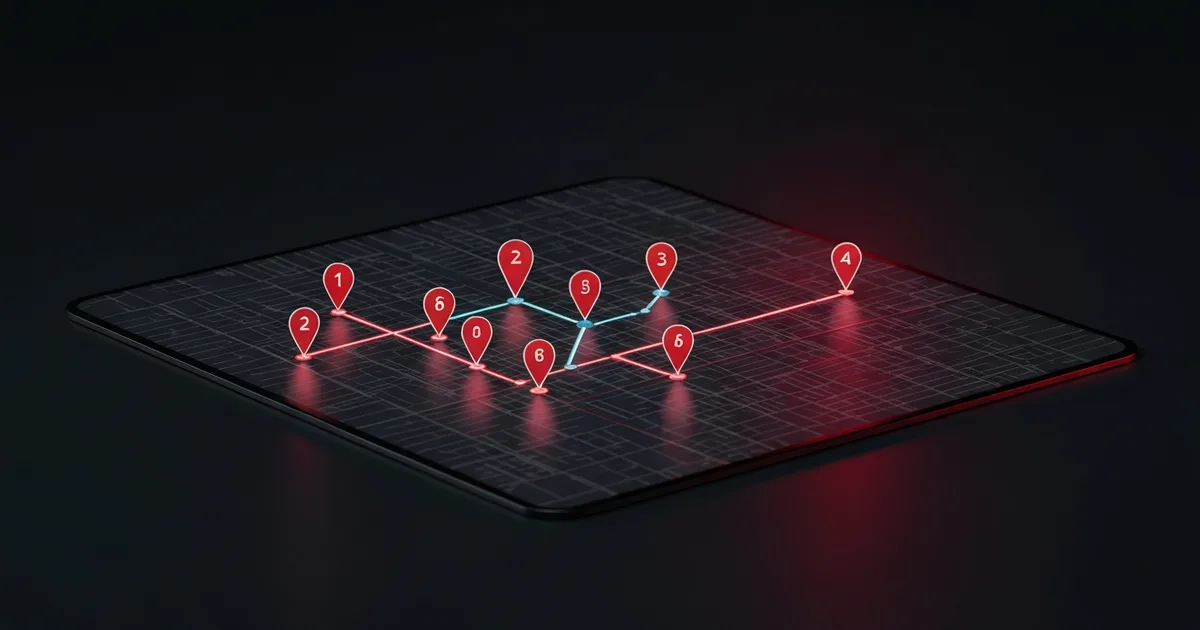
On the morning itself, the calendar's map view plots the day's off-site stops from their addresses. It draws the order they were booked in, and beside it a suggested order that takes the nearest stop next. When the suggestion saves more than half a kilometer it says how much. The diagram below is sample data in that shape.
The booked order is the order the phone rang in. Neither is applied by the map view: it shows both, and the dispatcher decides whether to call stop 3 about an earlier time or leave the day as booked.
- 1
The night before
A late booking is offered only slots whose drive to the neighboring jobs fits the gap.
- 2
7:00
The map view shows the booked order beside a shorter suggested one.
- 3
7:10
The dispatcher calls one customer about an earlier slot, or leaves the day as booked.
- 4
7:15
Optimize on the tech's column; the loop and its distance appear. Nothing is saved yet.
- 5
7:16
Send. The order lands on the day plan and in a text; booked times stay.
- 6
On the road
Each stop opens in Google Maps for directions and traffic.
What happens on screen, and who presses what.
Optimize proposes, Send tells the tech
The Dispatch board is where one technician's stops are put in order. Pick the tech and press Optimize: the stops fall into a short loop, nearest stop next and then a second pass that removes any crossing. The card shows the stop count, the total distance and an Open in Google Maps link. Optimize saves nothing.
Send is the second press. It puts that order on the tech's day plan, on screen and on the printed sheet that goes in the van, alerts them, and texts the list when a phone number is on file. Booked times stay booked. If stop 2 was promised for nine, it is still nine; Send changes the sequence the tech drives, and a customer is only moved when someone on the team moves them.
Our page on dispatch software for auto shops shows the board itself, including the assignment side: unbooked work waits in one pool, and when you drop a job on a column the picker lists the people cleared for that job's services first, so a coating goes to someone who coats.
The text a tech gets after Send
Sample data. The shop name is a placeholder and the job numbers are invented:
[Your shop]: 4 stops on 2026-11-19, in this order: 1) 9:00 AM #1049, 2) 10:30 AM #1052, 3) 12:15 PM #1055, 4) 2:00 PM #1058. Booked times are unchanged.
The text carries no link; the day plan with addresses is on the web and on the printed sheet.
What a straight line knows, and what it misses
Every distance here is measured in a straight line between two addresses. That is enough to know which stop is nearest and to catch a day that crosses town twice. It knows nothing about a bridge, a school zone or the traffic at five. That is why every stop opens in Google Maps, which handles the turn-by-turn and the live traffic, and why the booking page uses an effective speed rather than a posted limit.
The order is also no better than the bookings under it. Two stops on a day are a slow day however well they are ordered. When a customer asks for Thursday, look at Thursday on the map first: a slot beside a job already booked in their part of town gives the loop something to tighten.
What dispatch leaves to your team
Dispatch will not reassign a worker, reorder a route on its own, move a booked time or show a price. It shows no live map of the vans, and the phone apps are not in the App Store or Google Play yet. One more thing to know: the worker app's schedule tab still lists the day by booked time, so the routed order lives on the web day plan, the printed sheet and the text.
For how this fits the rest of a van's week, bookings with deposits, the vehicle record and payment at the car, the page on mobile detailing software lays it out. If you are still choosing between a phone app and something with a record behind it, the post on car detailing software vs app draws that line.
Frequently asked questions
Does Service VIN plan the route or only show a map?
Both, and neither applies itself. The calendar map view draws the booked order beside a shorter suggested one, and Dispatch's Optimize puts one tech's stops in a short loop. Only Send changes anything: it puts the order on the tech's day plan and in a text, with booked times unchanged.
Does it account for traffic?
No. Distances are straight lines between addresses, and the booking page turns them into drive time at an effective city speed you can change. Google Maps handles directions and traffic once a stop is opened.
Can I stop people booking a mobile job too far away?
Yes. Draw the area you cover, then choose whether a mobile booking outside it is confirmed, confirmed and marked for review, or held as a request you accept or decline.
Can I see where my vans are right now?
Not from Dispatch. It shows no live map of the vans; the route is built from the job addresses.

The Service VIN team
Built inside a working PPF and detailing shop in Canada
The team that builds Service VIN runs it every day inside a working PPF and detailing shop in Canada, the shop it was built for. These posts are written from that shop floor, for owners who want less time at the desk and more time running the business.